
Supported Browsers Overview


Version 65 and above |

Version 65 and above |

Version 65 and above |

Version 65 and above |

Version 65 and above |

Version 65 and above |
How to Use
Installation: Navigate to Marketing > File & Templates > Design Tools > @marketplace > Shunyavkash folder to find the Flexible Pricing Cards Module. Install it.
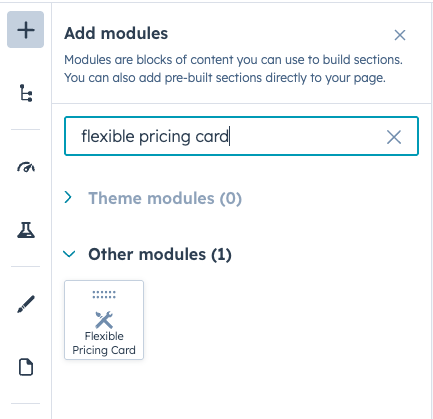
Integration: In the Marketing section, choose Website Menu > Website Pages and add the "Flexible Pricing Cards" module to the page you want.
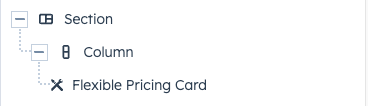
Content Customization
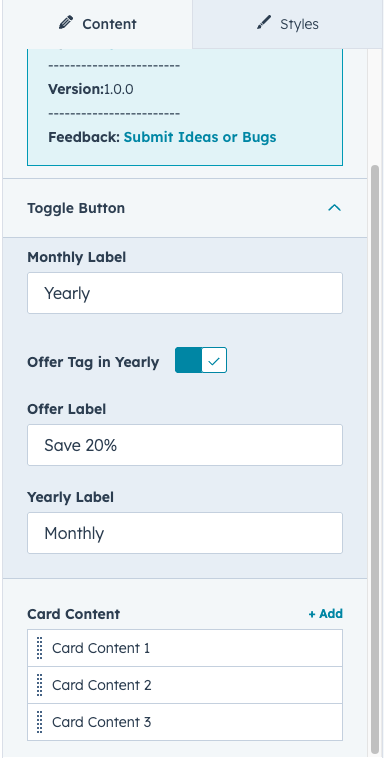
Toggle Button Configuration
Monthly/Yearly Toggles
-
Monthly Label: Set custom text for the monthly billing option .
- Yearly Label: Set custom text for the yearly billing option .
- Offer Tag: Enable/disable promotional tag display .
- Offer Label: Customize the promotional text (e.g., "Save 20%", "Best Value") .
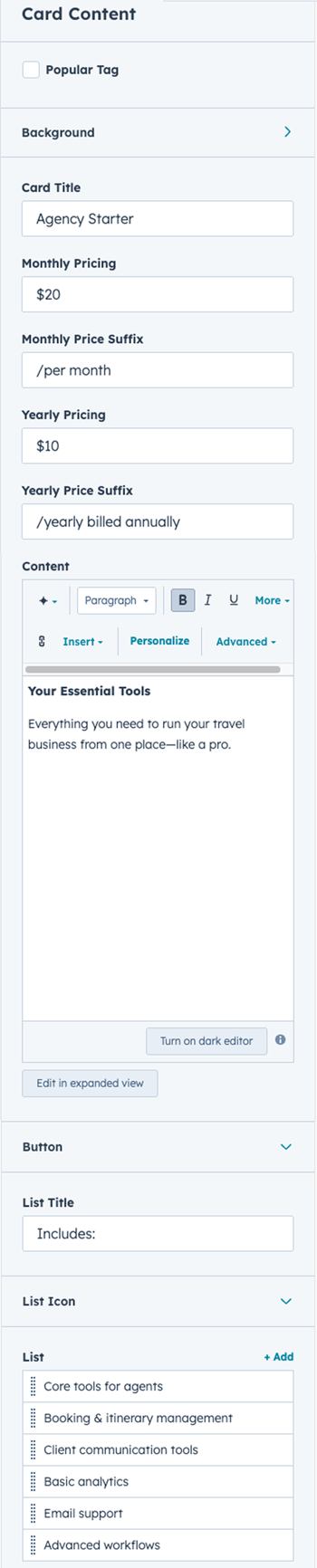
Pricing Card Content
Card Header
-
Card Title: Name your pricing tier .(e.g., "Basic", "Professional", "Enterprise")
- Popular Tag: Toggle to highlight recommended plans .
- Popular Tag Label: Customize the badge text . (e.g., "Most Popular", "Best Value")
Pricing Display
-
Monthly Pricing: Set the monthly price amount .
- Monthly Price Suffix: Add context text , (e.g., "/month", "per user/month")
- Yearly Pricing: Set the annual price amount .
- Yearly Price Suffix: Add context text . (e.g., "/year", "per user/year")
Description & Features
-
Content: Rich text editor for plan description or key highlights .
Button
-
Button Label: Customize text .(e.g., "Get Started", "Try Free", "Contact Sales")
- Link Field: Configure destination URL .
- Open in New Tab: Control link behavior .
List Content
- List Icon: Choose between icon library or custom image for bullet points .
-
List Title: Section heading for feature list . (e.g., "What's Included")
- List Items: Add individual features with custom content .
Background Options
Color Background
-
Container background with transparency support
Gradient Background
-
Radial gradient with multiple color stops .
- Customizable spread percentage for each color .
- Circle farthest-corner positioning from top-right .
Style Customization
Layout Configuration
Grid Structure
-
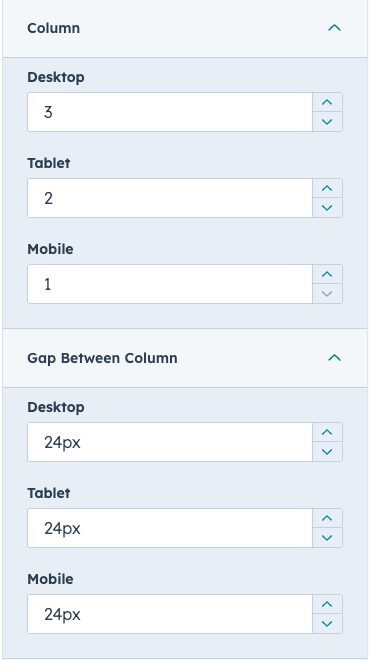
Columns: Set number of cards per row for desktop, tablet, and mobile with responsive grid layout
- Gap Between Columns: Control spacing between pricing cards (desktop/tablet/mobile)
Toggle Button Styles
Toggle Box
-
Background Color: Container background with transparency support
- Border: Style, width, and color customization
- Border Radius: Rounded corner control
- Spacing: Padding adjustments (desktop/tablet/mobile)
Toggle Buttons
- Background Color: Default state color
- Active Background Color: Selected state color
- Active Border Color: Border color when selected
- Active Text Color: Text color when selected
- Border: Border style and width
- Border Radius: Button corner rounding
- Spacing: Internal padding (responsive)
Offer Tag
- Background Color: Default and active state colors
- Text Color: Active state text color
- Border: Style configuration
- Border Radius: Corner rounding
- Spacing: Padding (responsive)
Card Styling
Card Container
- Border: Width, style, and color
- Border Radius: Corner rounding
- Spacing: Internal padding (desktop/tablet/mobile)
- Background: Per-card color or gradient (set in content)
Popular Card Highlight
- Border: Special border styling for featured cards
- Popular Tag: Background color, padding, border radius
Typography
All text elements support full font customization (family, size, weight, color) with responsive sizing across desktop, tablet, and mobile breakpoints:
- Card Title: Pricing tier headings
- Price Display: Main price amounts
- Price Suffix: Additional pricing context text
- Content Text: Rich text plan descriptions
- List Title: Feature section headings with spacing control
- List Items: Feature list text with 1.5 line height for readability
- Popular Tag: Badge text styling
- Toggle Text: Monthly/yearly toggle labels
Button Customization
Default State
- Background Color: Primary button color
- Text Color: Inherited from typography settings
- Border: Style, width, and color
- Border Radius: Corner rounding
- Spacing: Padding (responsive)
Hover State
- Hover Background Color: Background on mouse over
- Hover Text Color: Text color change
- Hover Border Color: Border color change
Popular Card Button
- Separate styling for buttons in featured cards
- Independent hover states
List Icon Customization
- Icon Size: Width control in pixels
- Icon Type: Choose HubSpot icon or custom image
- Icon Alignment: Auto-aligned to start position
Border & Spacing
List Item Borders
- Bottom Border: Height and color customization
- Applied to all list items except last child
Spacing Controls
Adjust padding/margins for all cards elements with responsive controls across desktop, tablet, and mobile:
- Cards title, pricing section, content area, button, list title, and list items
.png?width=287&height=684&name=Group%2081%20(1).png)
Responsive Breakpoints
- Desktop: Default styles (1024px and above)
- Tablet: Optimized layout for medium screens (max-width 1023.99px)
- Mobile (Medium): Adjusts cards grid columns for better readability (max-width 767.99px)
- Mobile (Small): Fine-tuned spacing and typography for small devices (max-width 575.99px)
All spacing, typography, and layout adjustments adapt automatically across these breakpoints.
We’re Not Here to Sell, We’re Here to Solve
Talk with strategic minds and developers, not just salespeople. Whether it’s your website, product, platform, or automation flow, let’s sketch the blueprint together. No fluff. Just meaningful collaboration. We reply same day.
